Lookalike domains
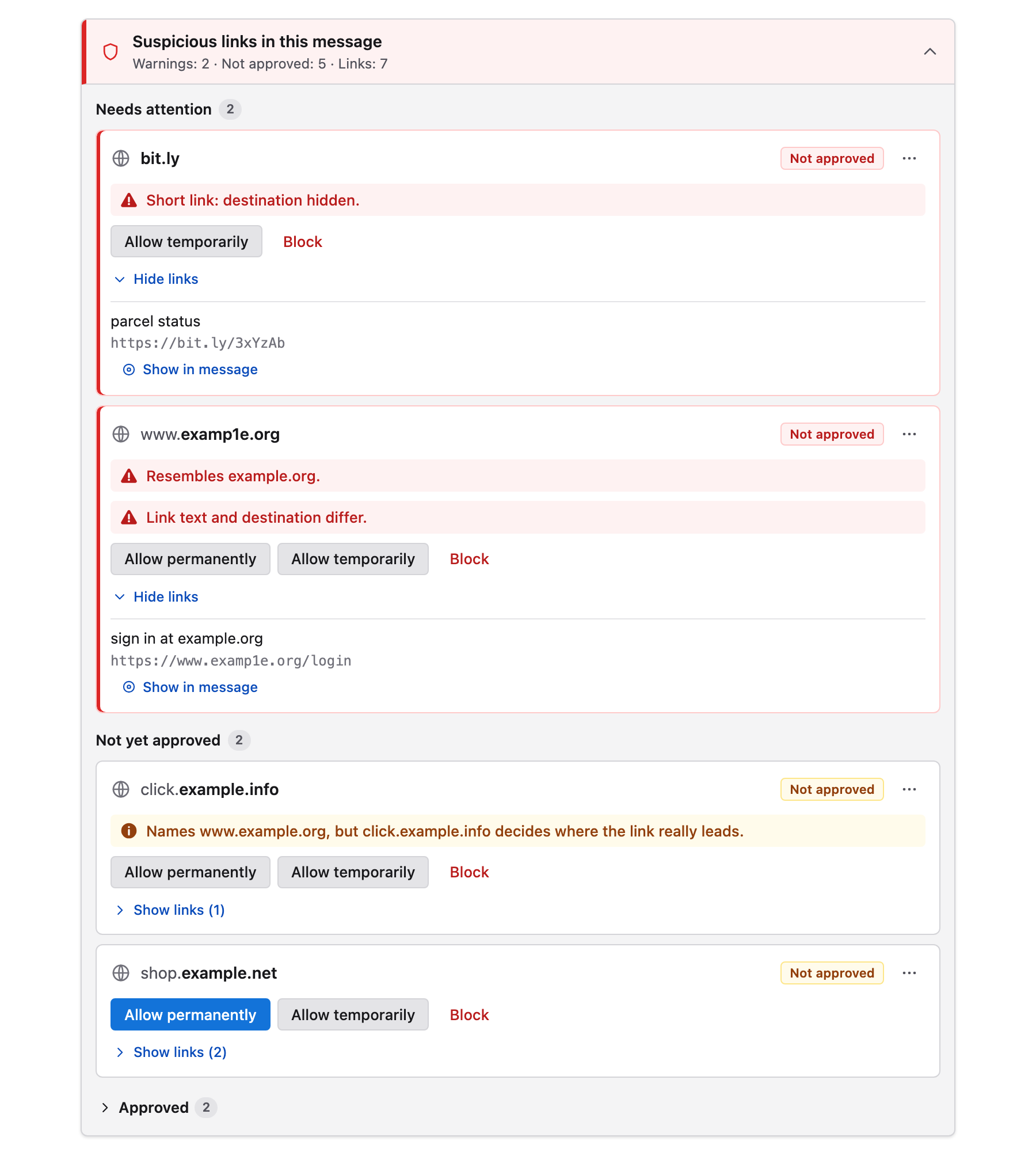
examp1e.org next to example.org, or letters from other alphabets that look the same.
Free & open source · Thunderbird and Outlook
Phishing needs just one click. Link Guard shows the real destination of every link in your email, warns you about lookalike domains, misleading link text and hidden redirects, and keeps every decision on your own computer.
What it catches
Link Guard reads every link the way your mail app would open it, then tells you plainly what is off. Each warning can be switched off, and you can add your own.
examp1e.org next to example.org, or letters from other alphabets that look the same.
The text says one site, the link leads to another. Link Guard compares both.
Links that carry another address inside them, from open redirects to Safe Links and URL Defense wrappers.
Public URL shorteners hide where you will land. They can only be opened for one message at a time.
Script or HTML hidden in a link to a site you trust — the shape of a cross-site scripting attack.
User names or passwords inside a link, and bare IP addresses instead of a site name.
Import up to 20 lists of 5,000 hosts. Remote blocklists update daily, within strict limits.
Warn on any pattern in the host, the address or the link text — on an engine that cannot freeze your mail.
How it works
No list of “safe” sites is bundled. You decide which sites you trust, and Link Guard holds you to it.
In Thunderbird, web links in a message stay inactive until their destination is approved. In Outlook, a pane next to the message checks every link.
A compact notice lists every site the message links to, with the registrable domain highlighted and every warning spelled out.
Allow a site for this message, for always, or a whole domain with its subdomains. A block always wins.
Private by design
Get Link Guard
Same checks, same rules, same promise. Free and open source under the MIT license.
Links stay inactive right in the message until you approve their destination.
A pinned pane next to the message checks every link and opens it only after you approve.
Security
Mail is parsed without running scripts. Imported lists are size-bounded, validated, shown for review and start disabled. Blocklists can only take access away.
Warning rules run on a small linear-time engine, not JavaScript's backtracking one, so no pattern can freeze your mail app.
Every release is built only from a tag signed with a hardware security key, and the signature is checked before anything is published.
Questions
No. It is a warning aid for links. An approved site can still serve harmful content, and attachments, QR codes and links inside images are outside its checks. Use it together with your usual protection.
Because any such list would decide for you and could be wrong for you. You approve the sites you actually use; imported lists are optional and always shown for review first.
No. Checks take milliseconds, even with 20 imported lists of 5,000 hosts each.
Nothing. Link Guard is free and open source under the MIT license, with no ads and no paid tier.
Privately, through GitHub's vulnerability reporting, as described in the security policy.
Install Link Guard in a minute. It stays out of your way until a link deserves a second look.